OCR Scanned PDF — Make Scanned Pages Searchable and Copyable
Turn a scanned PDF into a searchable document. OCR adds an invisible text layer over each page so you can select, copy, and search the content.
Where it works
| Where to find it | Plan | ||
|---|---|---|---|
| Windows app | OCR — Recognize Scanned Text | Free | It adds an invisible text layer over the original image, so the PDF can be searched and copied. |
| Mac app | OCR — Recognize Scanned Text | Free | It adds an invisible text layer over the original image, so the PDF can be searched and copied. |
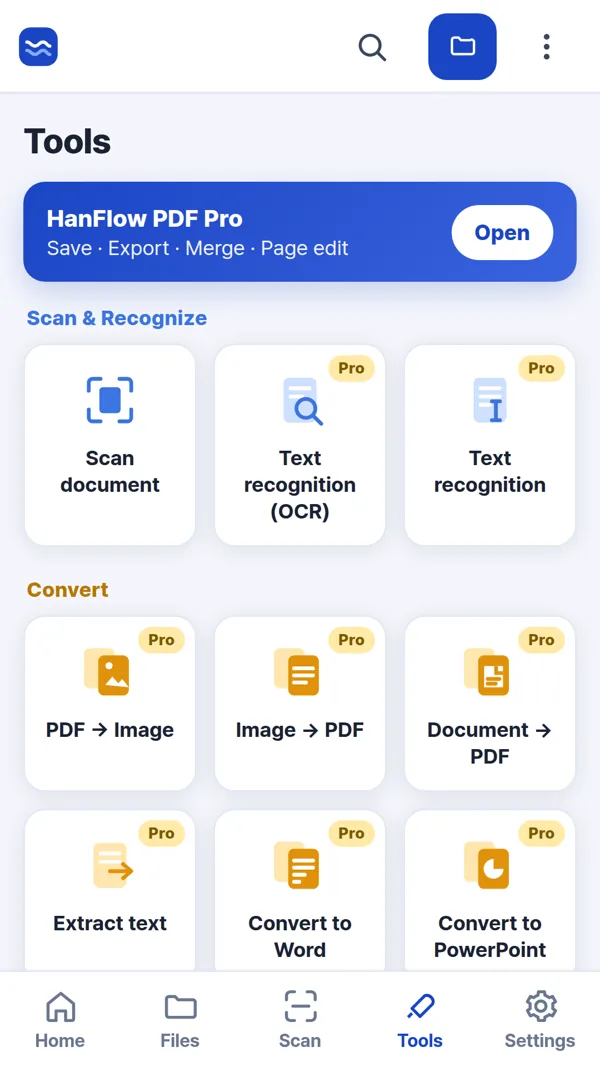
| Phone & web app | Tools › Text recognition (OCR) | Pro | It adds an invisible text layer over the original image, so the PDF can be searched and copied. |
Steps
- Open the scanned PDF you want to recognize.
- In the Windows app or Mac app, click OCR — Recognize Scanned Text. In the Phone & web app, tap Tools › Text recognition (OCR).
- Pick the recognition language. In the Windows app or Mac app, also pick the pages: the current page, all pages, or a range such as 1-3,5.
- Start the recognition. In the Windows app or Mac app, you can choose standard quality or a slower, higher-quality setting before running. The result opens as
_OCR.pdfin a new tab.
FAQ
What changes in the PDF after OCR?
It adds an invisible text layer over the original image, so the PDF can be searched and copied. The original images stay exactly as they are. Only a hidden text layer is placed on top, so the appearance of every page remains the same.
How many languages are supported?
Twenty-six: Korean, English, Japanese, Simplified Chinese, Traditional Chinese, German, French, Spanish, Dutch, Russian, Malay, Vietnamese, Norwegian, Swedish, Slovak, Arabic, Ukrainian, Italian, Indonesian, Czech, Thai, Turkish, Persian, Portuguese, Polish, and Hindi.
Is the original file modified?
In the Windows app or Mac app, no. The result opens as a separate _OCR.pdf in a new tab, and the original file stays as it was.