PDF to PowerPoint — Convert PDF to .pptx Slides
Convert a PDF into a PowerPoint (.pptx) presentation. The result contains editable text and shapes or one picture per slide, depending on the platform.
Where it works
| Where to find it | Plan | ||
|---|---|---|---|
| Windows app | Convert › PDF → PowerPoint (.pptx) | 30-day trial, then a license | Slides come out as editable text boxes and shapes. |
| Mac app | Not available | The Mac app has no Convert menu. | |
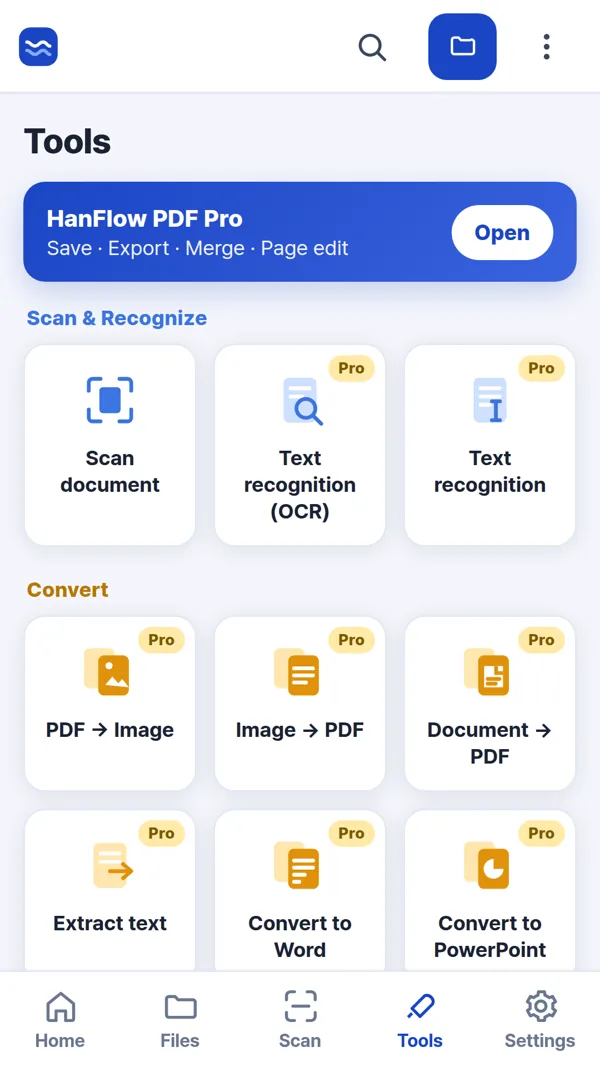
| Phone & web app | Tools › Convert to PowerPoint | Pro | Each page becomes one picture slide — the text cannot be edited. |
Steps
- Open your PDF in the app.
- Start the conversion. In the Windows app, go to Convert › PDF → PowerPoint (.pptx). In the Phone & web app, tap Tools › Convert to PowerPoint and pick the file to convert.
- Wait while the file converts. A new .pptx is created automatically.
FAQ
What does the converted PowerPoint look like?
In the Windows app: Slides come out as editable text boxes and shapes. In the Phone & web app: Each page becomes one picture slide — the text cannot be edited.
Is this feature available on the Mac app?
The Mac app has no Convert menu. The Phone & web app can make the PowerPoint file instead.
Does the conversion change my original PDF?
No. The conversion creates a separate .pptx file. Your original PDF stays untouched.