Sign a PDF — Draw a Signature or Add a Digital Signature
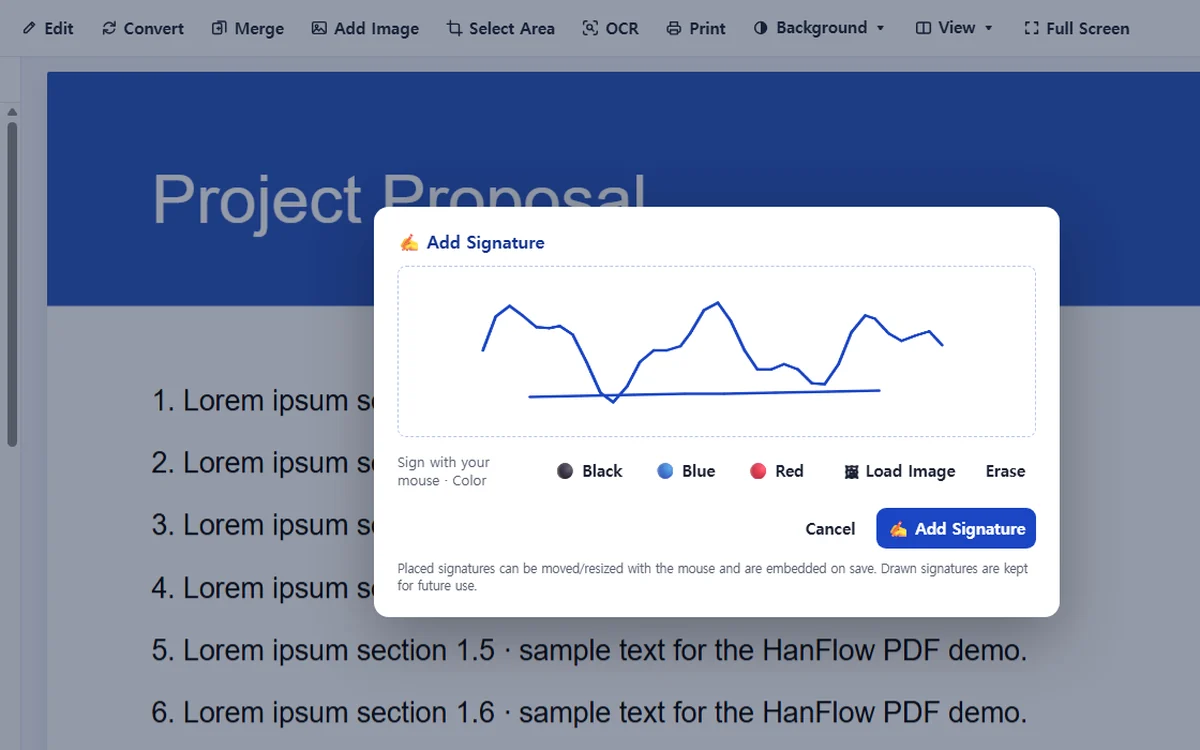
Place a hand-drawn signature or stamp image on any page, or sign the document with a digital ID. The two options serve different purposes and are accessed from separate menus.
Where it works
| Where to find it | Plan | ||
|---|---|---|---|
| Windows app | Tools › Add Signature · Tools › Digital Signature… | 30-day trial, then a license | Placing a drawn signature is an editing feature (30-day trial, then a license). Digital signatures are currently free. |
| Mac app | Tools › Add Signature · Tools › Digital Signature… | 30-day trial, then a license | Placing a drawn signature is an editing feature (30-day trial, then a license). Digital signatures are currently free. |
| Phone & web app | Not available | Not in the phone and web app. Use the Windows or Mac app. | |
Steps
- Choose Tools › Add Signature · Tools › Digital Signature… on Windows app or Tools › Add Signature · Tools › Digital Signature… on Mac app — Add Signature for a drawn signature, Digital Signature… to sign with a digital ID.
- For a drawn signature, draw it with your mouse and pick a color, or load a signature or stamp image. Drawn signatures are saved so you can reuse them with one click.
- Click where the signature should go (Esc cancels), drag to move or resize it, then save the file. The signature is embedded on save.
- For a digital signature, select an existing ID under Digital IDs or create one (name required; email and organization optional). A preview of the signature appearance is shown.
- To block later changes, turn on Lock document after signing first. Click Sign, then click where to place it — the document is signed and saved. Any change after signing invalidates the signature.
Digital signatures use a self-issued digital ID created in the app. Other PDF readers show the signature but may mark its validity as unknown.
FAQ
What is the difference between a drawn signature and a digital signature?
A drawn signature places an image on the page — it looks like a signature but carries no cryptographic data. A digital signature uses a digital ID to sign the file cryptographically. Any change to the document after signing invalidates it.
Can I sign a password-protected PDF?
No. Password-protected documents cannot be signed. Remove the document's security first, then sign.
Will other PDF readers recognize a digital signature?
The signature is visible in other PDF readers. Because the digital ID is self-issued, those readers may mark its validity as unknown.